Policy Group Operations
Overview A Policy Group represents a way of performing records management that more closely mimics traditional paper and spreadsheet based models of records management where lists of files, their retention information and who approved the disposition are all kept in a document. This can be useful for organizations whose Records Management requirements still need to comply with those traditional mechanisms and it can also be useful in situations where there are extremly large vaults with many millions of objects with simple retention requirements.
A Policy Group stores all retention information for all files that qualify in a Policy Group File(s) attached to the Policy Group. The number of files/objects permitted within a Policy Group File is controlled by the Policy Group File Maximum Row Count setting in the Admin Utility.
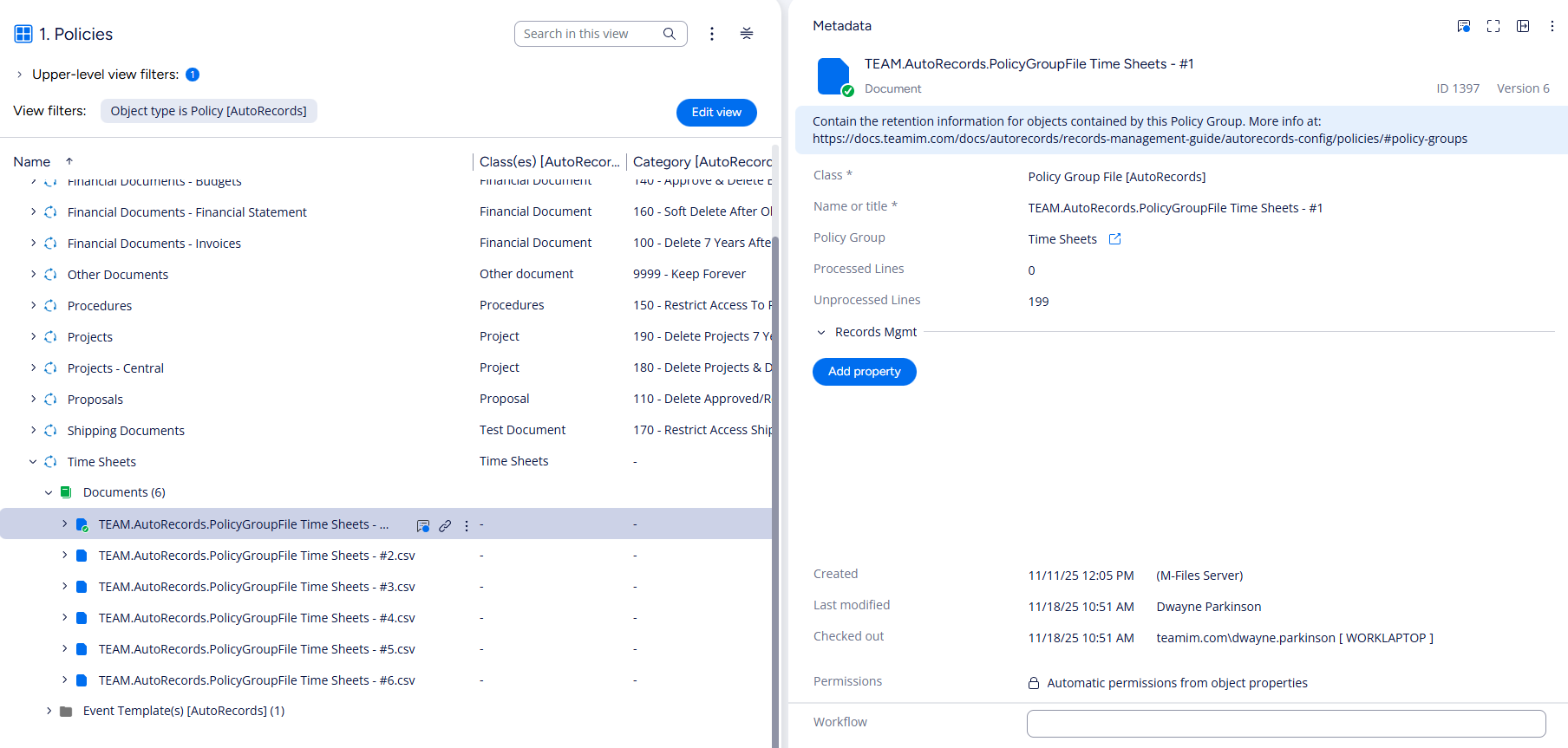
When Policy Groups execute, AutoRecords collects all eligibile files and objects based on the Policy Group Classes and Policy Filters, calculates disposition actions for those files and stores the retention information as rows of data in the Policy Group Files that get attached to the Policy.
In cases where the Policy Group is configured to require approval, those approves must be done in the Policy Group files which can be edited using Excel.
When editing Policy Group files, they must be saved as CSV formatted files. AutoRecords will ignore columns or rows that you add to the file however, the header column must be present as the first row of the file.