Configurations
The Dropbox Sign Side-Panel supports multiple configuration options. These options are separated into three sections.
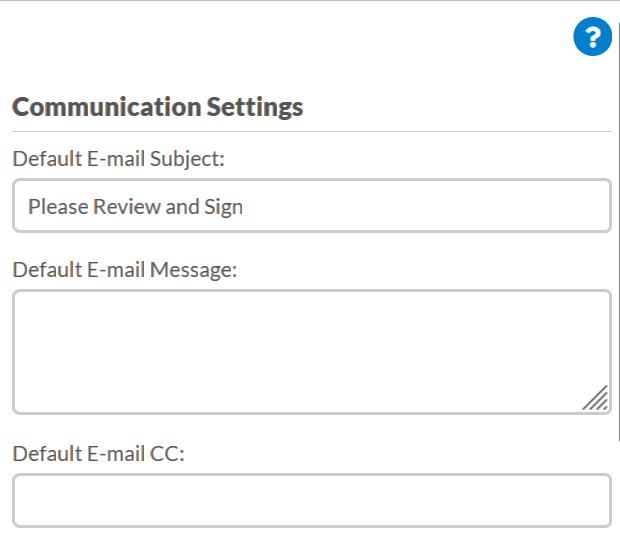
Communication Settings
Communication Settings include the default e-mail subject, message, and copy recipients that will be attached to a signature request.
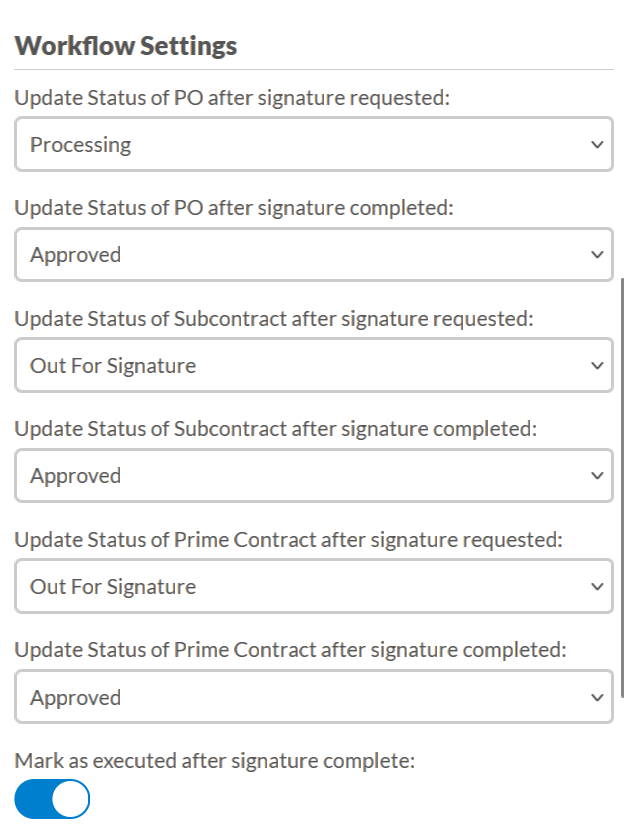
Workflow Settings
Workflow Settings include status updates for the requested and completed statuses for Purchase Orders, Subcontracts, and Prime Orders, as well as an option to mark the project as executed after the document has returned.
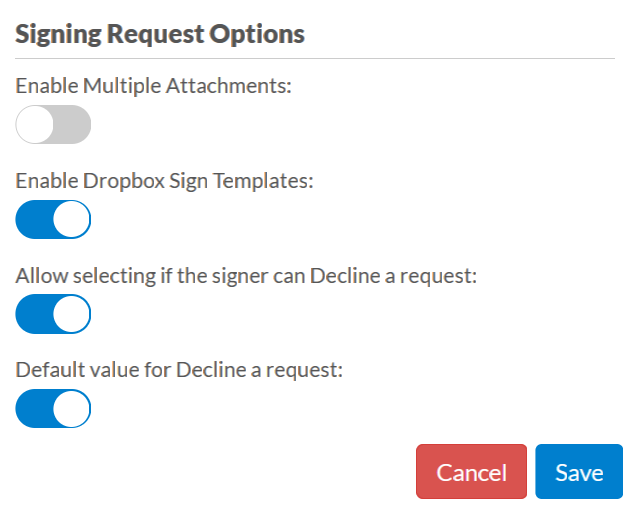
Signature Request Options
Signature Request Options includes options either to add to the final request, or for the signer. These include Enable Multiple Attachments, Enable Dropbox Sign Templates, Allow selecting if the signer can decline a request, and Default value for Decline a request.