Periods
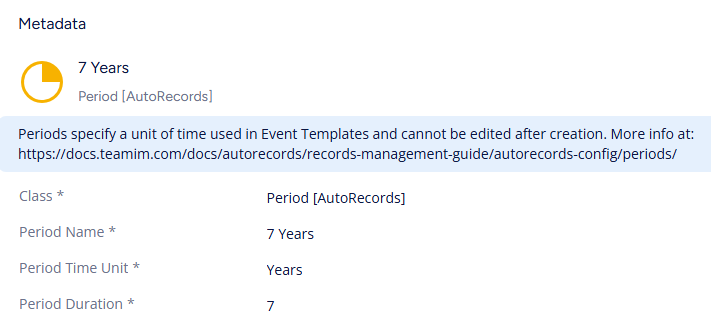
Periods define a duration of time within AutoRecords. Periods are used in Event Templates and Property Triggers which use CurrentDatePlusPeriod and CurrentDateMinusPeriod to do simple date math. The primary use of a Period is to define a period of time to wait after an Event has triggered before the associated Event will create Actions to execute on the system.
- Period Name
- Automatic concatenation of other properties
- Duration
- Integer amount of Time Units to wait
- Time Unit
-
Select From
- Days
- Weeks
- Months
- Years
- End of Week: triggers Duration # of Sundays from Triggered Date.
- End of Month: triggers on the last day of Duration # of months from Triggered Date.
- End of Year: triggers on December 31st Duration # of years from Triggered Date. (example: A document dated 11/25 with 5 end of years as the retention period, will be processed at the earliest on December 31st 2030.)
- End of Fiscal Years: triggers on Fiscal Year End Date Duration # of years from Triggered Date. Fiscal Year End Date is set in the AutoRecords Configuration within the M-Files Admin Tool.
-
caution
Periods cannot be edited after creation. A new Period object must be created.