Entra ID (Azure AD) Authentication Configuration
Users can be stored in Entra ID or an M-Files Vault. If stored in Entra ID, authentication must be configured in M-Connect to authenticate users against Entra. This assumes the previous steps in Entra ID (Azure AD) Configuration have already been completed.
Login Page
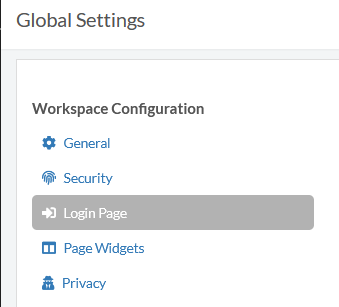
Log in to M-Connect as an administrator and navigate to Global Settings then select the Login Page blade.
Configure login settings as follows using the appropriate values created during the Entra ID config section.
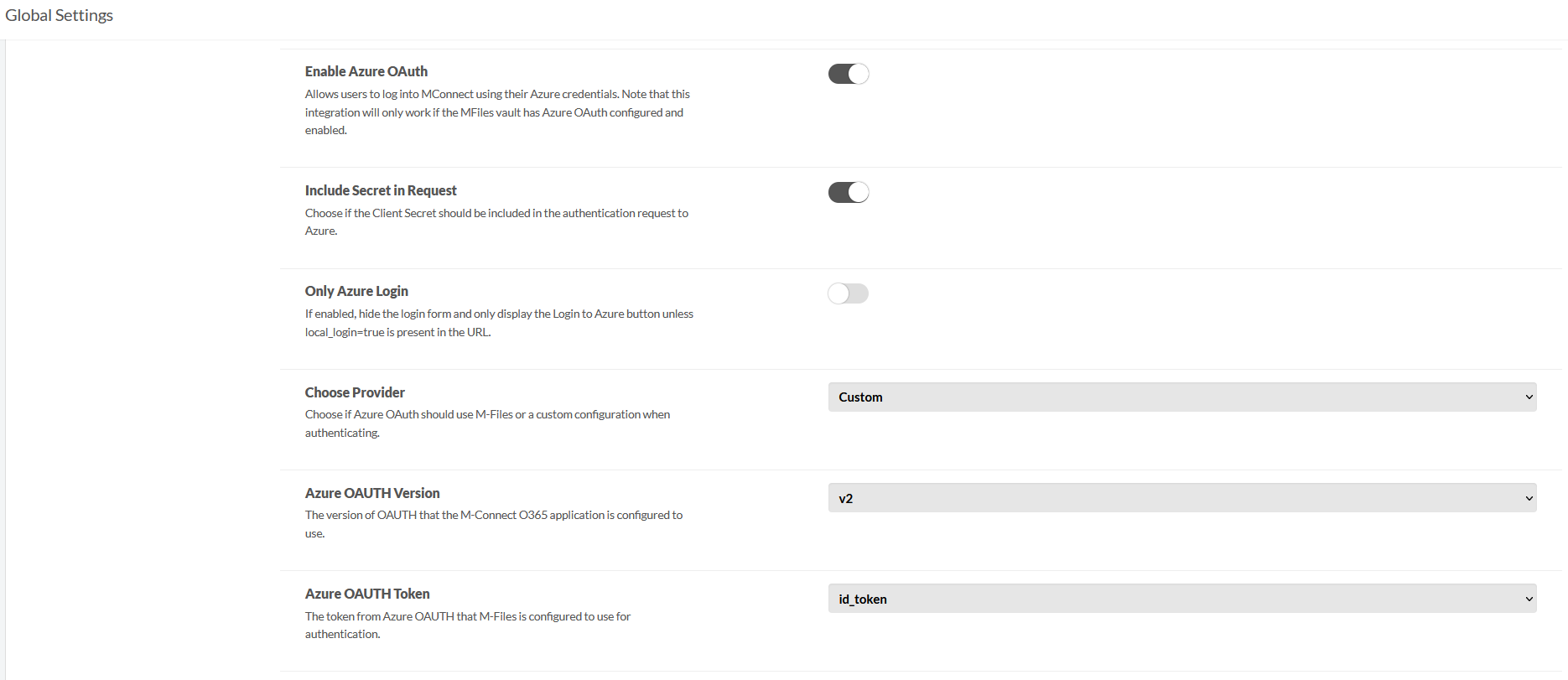
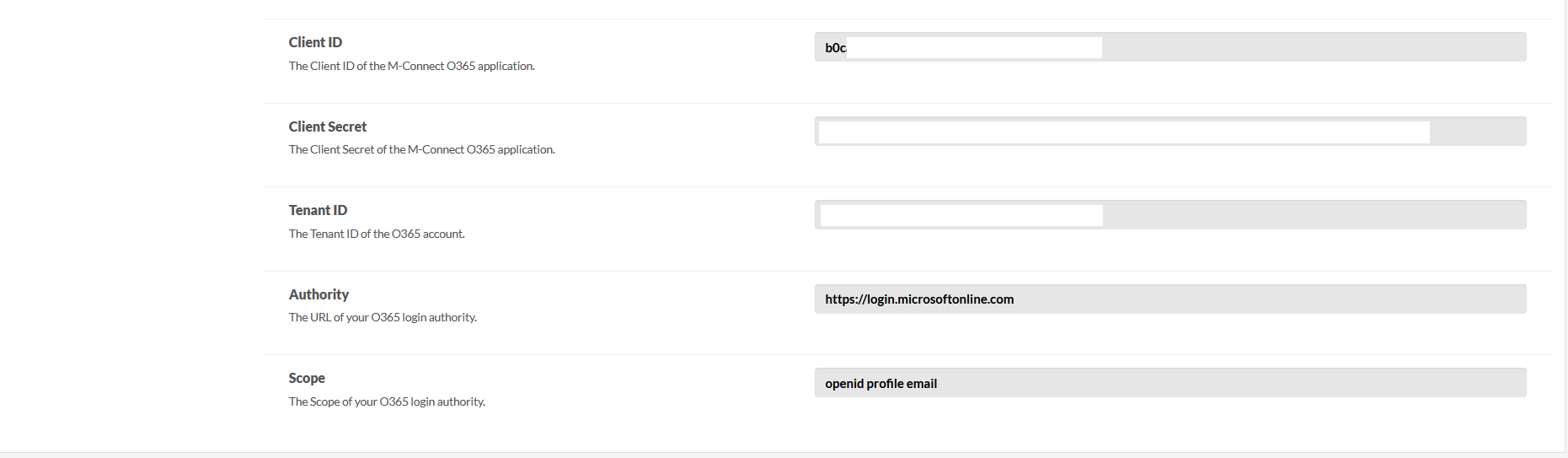
Other configurations are possible, please reach out to Team IM with any further questions.