M-Connect Users
Overview
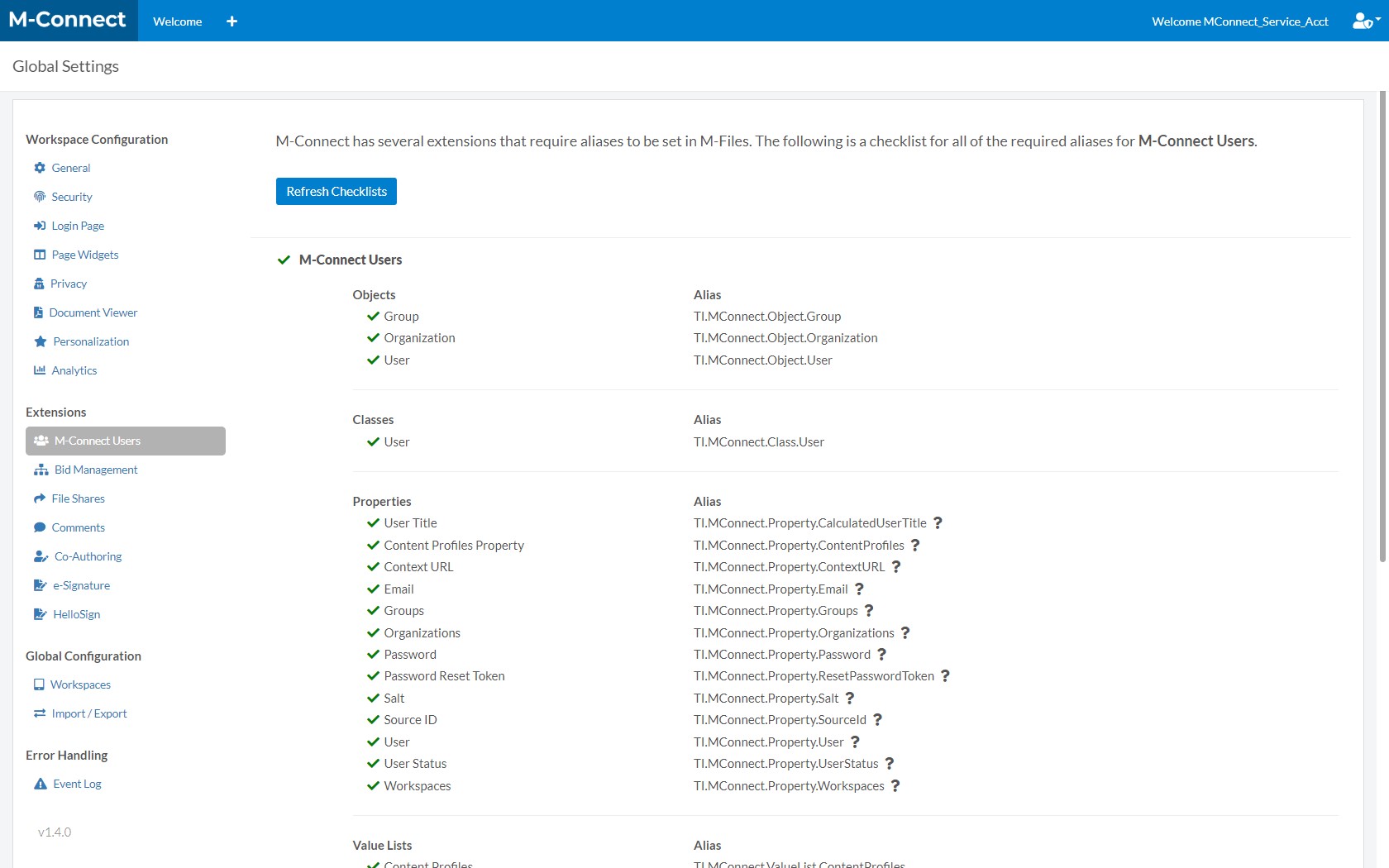
M-Connect features often require aliases to be created for Objects, Classes, Properties, Value Lists, Workflows, and Workflow States in M-Files. To make this configuration easier, M-Connect includes a set of alias checklists, which can be found in Global Settings under the Extensions section.
When viewing the checklist, a green ✓ (check mark) indicates that the alias has been configured correctly. A red X indicates the alias does not exist or is configured incorrectly.
M-Connect User
Both internal and external M-Files users must have an M-Connect User to login. The following aliases are required for M-Connect Users:
Objects
- Group (TI.MConnect.Object.Group)
- Organization (TI.MConnect.Object.Organization)
- User (TI.MConnect.Object.User)
Classes
- User (TI.MConnect.Class.User)
Properties
- User Title (TI.MConnect.Property.CalculatedUserTitle)
- Content Profiles Property (TI.MConnect.Property.ContentProfiles)
- Context URL (TI.MConnect.Property.ContextURL)
- Email (TI.MConnect.Property.Email)
- Groups (TI.MConnect.Property.Groups)
- Organizations (TI.MConnect.Property.Organizations)
- Password (TI.MConnect.Property.Password)
- Password Reset Token (TI.MConnect.Property.ResetPasswordToken)
- Salt (TI.MConnect.Property.Salt)
- Source ID (TI.MConnect.Property.SourceId)
- User (TI.MConnect.Property.User)
- User Status (TI.MConnect.Property.UserStatus)
- Workspaces (TI.MConnect.Property.Workspaces)
Value Lists
- Content Profiles (TI.MConnect.ValueList.ContentProfiles)
- Workspaces (TI.MConnect.ValueList.Workspaces)
Workflow States
- Password Reset (TI.MConnect.Workflow.NewUser.State.PasswordReset)
- Registration (TI.MConnect.Workflow.NewUser.State.Registration)
M-Connect User Session
M-Connect User Sessions are used to track user logins and are represented as a Session object in M-Files. The following aliases are required for M-Connect Users:
Objects
- M-Connect User Session (TI.MConnect.Object.ExternalSession)
Classes
- M-Connect User Session (TI.MConnect.Class.ExternalSession)
Properties
- Session User Property (TI.MConnect.Property.SessionUser)
- External User IP Property (TI.MConnect.Property.ExternalIP)