Viewer Widget
Overview
The Viewer widget is used to render content real-time using an HTML5 document viewer, as well as display metadata and workflow information. This widget must be used in conjunction with the Search or Data View widgets.
Configure Widget
The following settings are available in within the widget configuration:
- Display Document Viewer - Display a tab for the document viewer.
- Display Metadata - Display a tab for the object metadata.
- Display Workflow - Display workflow states at the top of the metadata tab.
- Workflow States Type - Display the workflows as buttons or a dropdown.
- Hide Workflow Name - Don't display the name of the workflow
- Hide Current Workflow State - Don't dispaly the current state of the workflow.
- Display Workflow on All Tabs - Display the workflow's information on all of the widget's tabs.
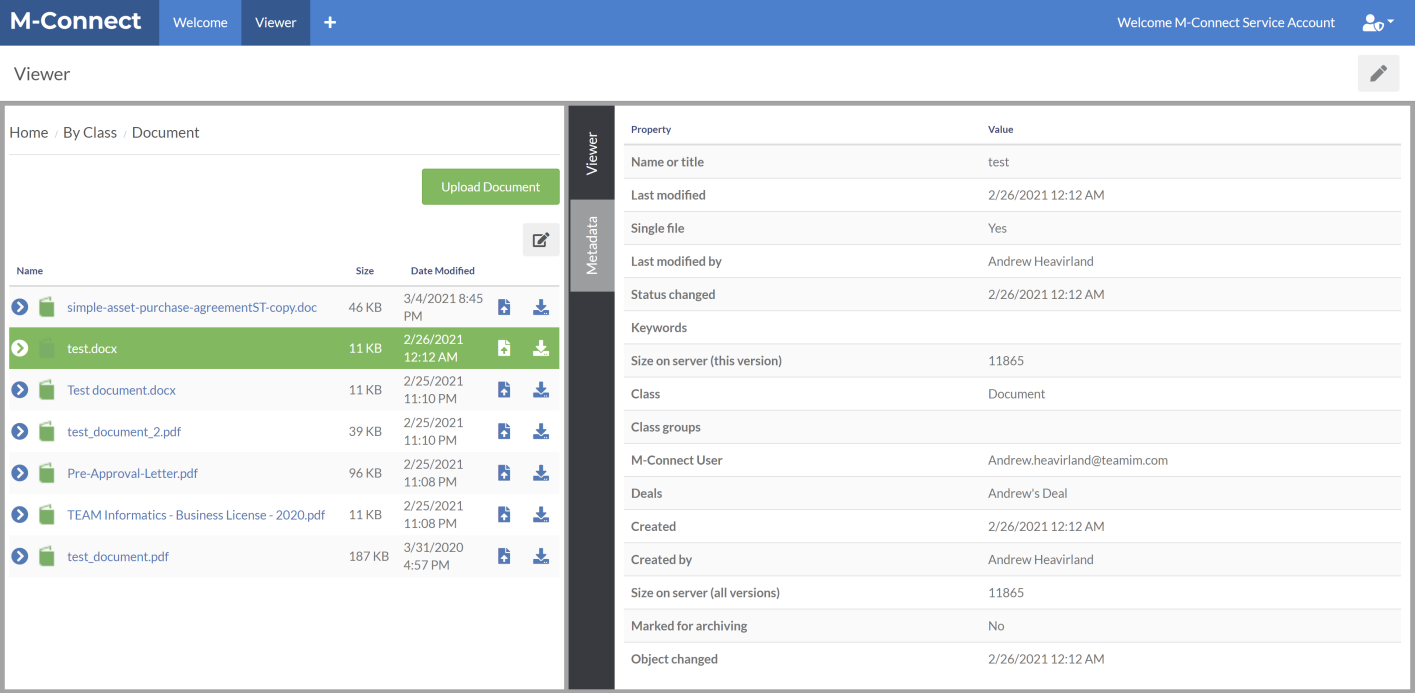
Document Viewer
In order to utilize the full capabilities of the viewer widget, the document viewer under Global Settings → Document Viewer must be enabled. Otherwise the viewer widget will only display the file type icon for file types that aren't natively supported by the browser.
With the viewer widget, internal and external users are given the ability to view, convert, annotate, redact and stamp documents without leaving the M-Connect Application.
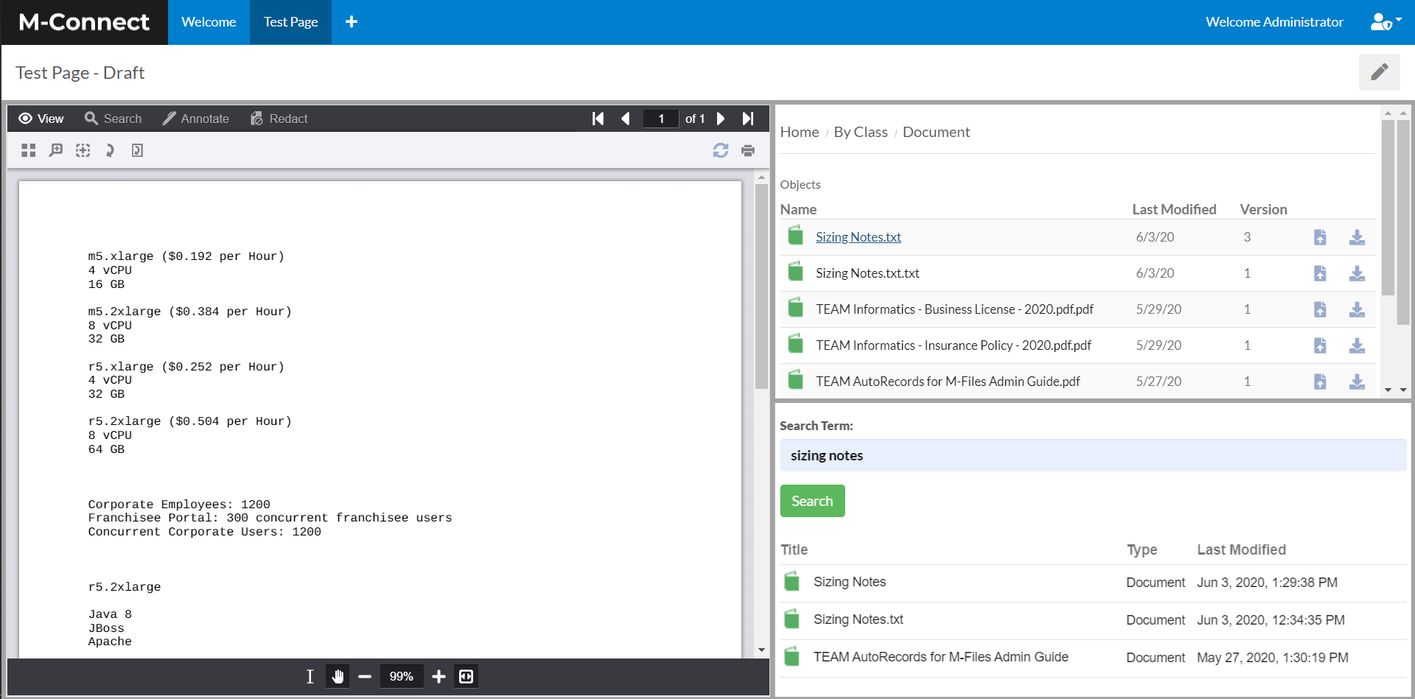
Features of the Viewer includes:
- Thumbnails
- Magnifier Tool
- Rotate Document
- Rotate Page
- Search
- Redactions
- Markup
- Document Merging (Requires add-on)